
Blog
NC Secretary of State Business Search: How to Look Up North Carolina Businesses

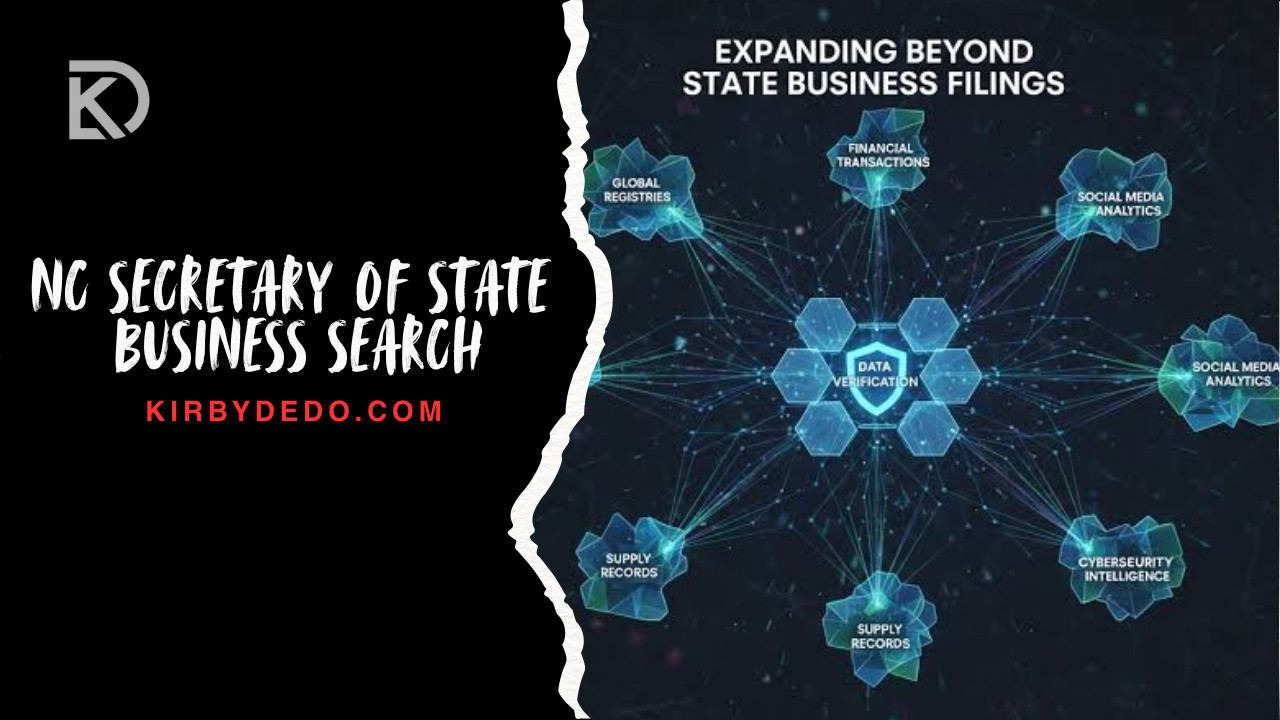
The NC Secretary of State business search is a practical starting point for checking whether a North Carolina company exists, who is connected to its public filing record, and what documents are available for review. Entrepreneurs use it before choosing a name. Buyers, lenders, vendors, real estate professionals, and compliance teams use it to confirm basic business details before moving forward with a deal, partnership, or outreach list.
| Quick fact | Details |
| Main tool covered | North Carolina Secretary of State business entity search |
| Primary purpose | Look up registered businesses in North Carolina and review filing-related details |
| Official maintainer | State / North Carolina Secretary of State |
| Official website | North Carolina Secretary of State |
| Official search entry point | North Carolina Secretary of State online search |
| Common entity types mentioned in source data | LLCs, corporations, nonprofits, partnerships, and other entities required to file with the Secretary of State |
| Search inputs supported in source data | Company name, SOSID, company officials, registered agent, and organization name |
| Match options mentioned | All, Any, Exact Match |
| Basic result fields | Name, ID Number, Business Type |
| Expanded entity fields | Legal Name, SOSID, Date Formed, Status, Citizenship, Business Type |
| Additional details that may appear | Registered agent, mailing address, principal office address, registered office address, registered mailing address, fiscal month, officers, stock information |
| Filing-related actions mentioned | More Information, View Filings, Online Filing, Order A Document, Add To My Email Notification List |
| Filing types mentioned | Creation Filing, Amendment, Destruction Filing, Suspension |
| Status examples from source data | Active, dissolved, suspended |
| North Carolina Secretary of State named in source data | Elaine F. Marshall |
| Tenure note in source data | Since 1997 |
| Phone listed in source data | (919) 814 – 5400 |
| Physical address listed in source data | North Carolina Secretary of State, 2 South Salisbury St., Raleigh, NC 27601-2903 |
| Mailing address listed in source data | North Carolina Secretary of State, Post Office Box 29622, Raleigh, North Carolina 27626-0622 |
| Office hours listed in source data | 8:00 A.M. to 5:00 P.M., Monday through Friday |
| Common professional users | Business owners, entrepreneurs, realtors, developers, investors, marketers, sales teams, lenders, compliance teams, and risk teams |
| Private data-tool categories mentioned in source data | People data, work data, property data, court records data, assets data, license data, identity data, business data, and asset data |
| Important compliance caution | Public filing data can support research, but it should not be treated as a complete legal, credit, employment, insurance, or consumer-reporting review |
What Is the NC Secretary of State Business Search?
The NC Secretary of State Business Search is a public business lookup resource for finding filing information tied to North Carolina entities. In plain terms, it helps you answer basic questions: Is this company registered? What name is on file? Does it have an SOSID? What business type is listed? Who is the registered agent? Are filings available to view?
The search is especially useful because it sits close to the official filing record. That does not mean it answers every question about a company. It does not replace legal due diligence, tax verification, licensing checks, credit review, or a background investigation. What it does offer is a reliable first layer of public-record confirmation.
For many users, that first layer is enough to decide what to do next. A founder may want to see if a preferred company name is already in use. A property professional may need to identify the entity connected to a transaction. A sales team may want to clean up business names before adding prospects to a CRM. A compliance team may use the record as one piece of an onboarding workflow.
What You Can Find in a North Carolina Business Entity Record
A North Carolina business entity record can include simple identifiers, status information, contact-related filing data, and links to documents or actions. The exact fields available may vary by entity and filing history, so the safest approach is to read the record field by field instead of relying only on the search-results page.
Business Name, SOSID, and Entity Type
The legal name is the formal name on the state record. The SOSID, or Secretary of State Identification Number, is the state-level identifier associated with the entity. Business type gives context about the structure shown in the record, such as an LLC, corporation, nonprofit, or partnership when those categories are applicable.
These identifiers matter because business names can look similar. A search result may show several companies with close wording, abbreviations, punctuation differences, or inactive records. The SOSID helps separate one record from another.
Status, Date Formed, and Citizenship
Status is one of the first fields many users check. Source data identified active, dissolved, and suspended as status examples. Date formed helps you understand when the entity was created in the filing system. Citizenship is also listed among the expanded entity details in the source data.
A status field should be read carefully. An active listing may support the idea that the entity is currently recognized in the filing system, while dissolved or suspended language signals that a closer review is needed before relying on the company for a transaction. If the matter is important, verify the record on the official site and consult the right professional before making a legal or financial decision.
Registered Agent and Office Addresses
The registered agent is one of the most important fields for legal and administrative contact. Source data also identified several address fields that may appear, including mailing address, principal office address, registered office address, and registered mailing address.
These fields are not always the same. A mailing address may be used for correspondence. A principal office address may point to the company’s stated business office. A registered office address is tied to the registered agent function. When you are comparing records, use the field labels instead of assuming every address has the same meaning.
Filings, PDFs, Officers, and Stock Information
The extracted source data identified filing history and available documents as key information. It also listed filing-related actions such as View Filings, Online Filing, Order A Document, and Add To My Email Notification List. Some filings may be available as PDFs.
Additional fields may include officers, such as president or vice president entries, and stock information, including class, shares, and par value. These details can be helpful when reviewing corporations or entities with more complex filing histories.
| Record area | What it tells you | Why it matters |
| Legal name | The formal name attached to the state filing | Helps confirm the exact entity you are reviewing |
| SOSID | The Secretary of State Identification Number | Reduces confusion when names are similar |
| Business type | The entity category listed in the record | Helps distinguish LLCs, corporations, nonprofits, partnerships, and other filed entities |
| Status | The current status label shown in the record | Helps flag active, dissolved, or suspended records |
| Date formed | The formation date shown in the filing record | Useful for age-of-entity checks and historical context |
| Citizenship | A classification included in expanded entity details | Adds filing context where available |
| Registered agent | The person or company named for registered-agent purposes | Important for service and official correspondence workflows |
| Principal office address | The principal office information shown in the record | Helps identify a stated business location |
| Mailing address | Address used for mail-related record purposes | Useful for correspondence checks |
| Filing history | Creation, amendment, suspension, destruction, or other filing entries | Shows how the public record has changed over time |
| Available documents | Documents or PDFs accessible through the filing system | Supports deeper review before business decisions |
How to Search a North Carolina Business Step by Step
A careful search starts with the best identifier you have. If you only have a partial name, begin broad. If you already have an SOSID, use it. If your task involves a person or registered agent, choose the field that matches that task.
The official North Carolina search page should be the first destination for state filing records. For broader business-startup context, the NC.gov Start My Business guide points users toward state business-name resources and DBA guidance.
Search by Company Name
Company-name search is the most familiar route. Enter the organization name, then review the returned names carefully. Do not stop at the first result unless the name, ID number, and business type all match what you expected.
Name searches can be messy. Businesses may use punctuation, abbreviations, alternate spellings, or legal suffixes. If a search feels too narrow, try fewer words. If it returns too many results, add a more distinctive word from the company name.
Search by SOSID
An SOSID search is usually more precise than a name search because it targets the state identification number rather than a string of words. Use this option when a contract, filing, email, or prior search result gives you the SOSID.
This is the cleaner route when you are trying to return to the same record later. It is also useful when several companies share similar names.
Search by Registered Agent
A registered agent search can help when your task begins with the person or company listed as agent rather than the business name itself. This can be useful in due diligence, vendor research, or situations where several entities share a common agent.
A registered agent result should not be treated as proof of ownership. It is a filing role. The agent may be a commercial service provider, attorney, individual, or another listed agent, depending on the entity record.
Search by Company Officials
The source data identifies company officials as another search route. This can help when you know a person connected to an entity record but do not know the exact business name.
As with registered-agent searches, use this information carefully. A listed official may help you connect records, but the filing result still needs to be reviewed in context.
Use “All,” “Any,” or “Exact Match” Correctly
The source data identified three word-match options: All, Any, and Exact Match. These controls can change the result set dramatically.
| Search method or control | Best for | Required input | Practical tip |
| Company name | General business lookup | Full or partial organization name | Start broad, then narrow if results are crowded |
| SOSID | Returning one precise record | Secretary of State ID Number | Use when accuracy matters and the number is available |
| Registered agent | Finding entities tied to a registered agent listing | Agent name | Do not assume the agent is the owner |
| Company officials | Searching by a listed person or officer | Official’s name | Confirm the exact entity before acting on the result |
| All | Results containing all entered terms | Multiple name terms | Helpful when the company name has distinctive words |
| Any | Broader results containing any entered term | One or more name terms | Useful when you are unsure of the exact name |
| Exact Match | Narrow matching | Exact organization wording | Best when you already know the formal name |
How to Check Business Name Availability in North Carolina
Name availability is a different task from simply reading an existing record. A business-name search helps you see whether similar names already exist, but final availability can depend on state rules, filing review, and whether the name is being used in another context.
Use the official search to identify existing entities before filing. If you are forming an LLC, corporation, or nonprofit, this step can prevent wasted filing effort. The source data also identified a business-name availability module with an entity-name field and formation prompts for LLCs, corporations, and nonprofits.
When to Use Entity Search vs. Assumed Name Search
An entity search is best for records filed with the Secretary of State. Assumed business names, often called DBAs, may require a different path. The source data notes that searches involving assumed names, strictly new companies, or changes to existing records may route users to another query tool. NC.gov also explains that DBA questions may involve the Register of Deeds in the county where the business is located.
That distinction matters. A business may have a legal entity name and one or more assumed names. A complete name review may require more than one search.
What to Do If the Name Is Already Taken
If your preferred name appears to be taken, do not simply add punctuation and assume the problem is solved. Review similar names, exact matches, entity types, and statuses. Then consider a more distinctive name before filing.
If the name is central to a brand, you may also need checks beyond the Secretary of State database. State entity search is not the same thing as trademark clearance, domain research, or brand-risk review.
How to Read NC Business Search Results
Search results are only the top layer. A result page may show the name, ID number, and business type, but the expanded record can contain the details that actually matter.
Search Results Table Explained
| Field | What it means | Why it matters |
| Name | The business name returned by the search | Helps you identify possible matches |
| ID Number | The state identifier shown for the record | Helps distinguish between similar names |
| Business Type | The entity category shown in the result | Helps determine whether the record fits the company you are checking |
The result table is useful for scanning, but it is not enough for due diligence. Open the relevant record and compare the expanded details before relying on the result.
Entity Details Explained
| Entity detail | How to read it | Useful next step |
| Legal Name | Treat this as the formal record name | Compare it against contracts, invoices, and websites |
| SOSID | Use it as the state record identifier | Save it for repeat searches |
| Date Formed | Review it as the formation date in the record | Use it to understand filing history |
| Status | Check whether the record is active, dissolved, suspended, or otherwise labeled | Investigate any status that may affect the transaction |
| Citizenship | Read as a filing classification where available | Compare with other entity details |
| Business Type | Review the listed entity structure | Confirm it matches the expected LLC, corporation, nonprofit, or partnership |
| Registered Agent | Identify the agent listed for official purposes | Do not treat the agent as automatic proof of ownership |
| Mailing Address | Use for correspondence context | Compare with other public or business records |
| Principal Office Address | Review as principal office information | Useful for location checks |
| Registered Office Address | Address tied to registered-agent function | Important for service-related workflows |
| Registered Mailing Address | Mailing address tied to registered-agent records | Compare with registered office details |
| Officers | Listed officers when available | Helpful for corporate record review |
| Stock | Class, shares, and par value where shown | Relevant for corporate filing context |
Filing History and Document Ordering Explained
Filing history shows the paper trail of the entity record. The source data identified creation filings, amendments, destruction filings, and suspension entries. Depending on the record, you may be able to view filings, open a PDF, order a document, file online, or add the record to an email notification list.
| Filing type or action | What it usually helps you review | Where it fits in a workflow |
| Creation Filing | The original filing event for the entity | Use when confirming how the record began |
| Amendment | A later change to filed information | Use when names, addresses, agents, or other details have changed |
| Destruction Filing | A filing type named in the source data | Review the document itself for context before drawing conclusions |
| Suspension | A filing/status-related event named in the source data | Treat as a flag for additional review |
| View Filings | Access filing history or documents | Use after identifying the correct entity |
| View Filing PDF | Review a document where a PDF is available | Save or read the filing for details |
| Order A Document | Request an official document where available | Use when informal review is not enough |
| Add To My Email Notification List | Follow changes to a record | Useful for ongoing monitoring |
Common NC Business Statuses and What They Mean
Status labels are easy to skim past, but they can change the way you interpret a record. The source data specifically identified active, dissolved, and suspended as examples. Use those labels as a prompt for next steps, not as the whole answer.
| Status example | Plain-English reading | Recommended action |
| Active | The record is presented as active in the filing system | Continue reviewing agent, address, filing history, and documents |
| Dissolved | The entity appears to have ended or been dissolved in the filing record | Review filings and avoid assuming the company can currently act in the same way as an active entity |
| Suspended | The record shows a suspension-related status or filing context | Investigate before signing, lending, onboarding, or relying on the business |
| Unknown or unclear | The record does not answer your specific question | Check the official record directly and seek professional guidance if the issue is material |
Who Uses NC Business Entity Search?
The same database can serve different jobs. A founder, realtor, lender, and sales team may all search the same company but care about different fields.
Business Owners and Entrepreneurs
Business owners often use the search before forming a company or changing a name. The main questions are simple: Is the name already in use? Are similar names present? What entity records might cause confusion?
Entrepreneurs may also return after filing to confirm that the record appears correctly. They might check the legal name, business type, date formed, registered agent, and filing history.
Realtors and Property Professionals
Realtors and property professionals may use an entity lookup to research companies connected to real estate activity. The Secretary of State record can help confirm whether a business entity exists and identify the registered agent or principal office information listed in the public record.
That said, property research often requires more than a Secretary of State search. Ownership connections, asset information, and property records may sit in other sources.
Lenders, Compliance Teams, and Risk Teams
Lenders and compliance teams may use the record as an early verification step. They may check the legal name, SOSID, business type, status, registered agent, and formation date before requesting additional documents.
This is also where caution matters. A public filing search does not replace a full compliance workflow. When decisions involve credit, insurance, employment, or consumer-reporting use cases, teams should understand the Fair Credit Reporting Act and any other applicable rules before using third-party or public-record data.
Sales, Marketing, and Lead Research Teams
Sales and marketing teams may use business records to clean lists, enrich account data, and avoid contacting companies under the wrong legal name. Developers and data teams may also connect business-search data to CRMs, lead qualification systems, real estate intelligence platforms, or verification workflows through APIs or batch processes.
The search record can improve accuracy, but it should not be the only source used for market research. A state filing record may not show current revenue, headcount, buyer intent, or all operating locations.
| User type | What they usually search | What to verify next |
| Founder or entrepreneur | Name availability, entity type, formation details | Filing requirements and whether a name can actually be approved |
| Existing business owner | Legal name, registered agent, filings | Whether updates or annual reports are needed |
| Realtor or property professional | Entity existence, registered agent, office information | Property records and ownership context |
| Developer or investor | Contractors, partners, competitors, related entities | Filing history and broader due diligence records |
| Lender or compliance team | Status, date formed, legal name, SOSID | Internal onboarding, risk, and regulatory checks |
| Sales or marketing team | Account names, business types, location clues | CRM enrichment and contact validation |
| Data team | Entity identifiers and structured fields | API or batch data quality controls |
Official NC Secretary of State Search vs. Private Business Data Tools
The official state search and private business data tools are not interchangeable. The official search is the best first stop for state filing records. Private tools may be useful when you need broader research, data enrichment, or multi-source workflows.
The source data described private data-tool categories such as identity, people, business, asset, court record, property, work, license, and consumer-insight data. It also mentioned self-service search, API integrations, lead builders, and batch workflows. Those can be valuable in business research, but they bring additional responsibility around accuracy, privacy, and permitted use.
| Source type | Best for | Limitations | Data depth |
| Official North Carolina Secretary of State search | Confirming state filing records, SOSID, legal name, status, registered agent, filing history | Does not answer every licensing, ownership, credit, tax, or operational question | Strong for official filing data |
| Private business data platform | Enrichment, multi-state research, lead intelligence, CRM workflows, broader identity or asset context | May combine many datasets; users must evaluate accuracy, permissions, and compliance | Broader, but not always official for each data point |
| County or local records | Assumed names, local records, property-related context where applicable | Not always centralized at the state level | Useful when state entity search is not enough |
| Internal company documents | Contracts, W-9s, onboarding records, vendor files | Only as reliable as the documents supplied and verified | Strong when matched to official records |
Limitations of the NC Secretary of State Database
A business entity search is useful, but it has boundaries. It may show that an entity exists, when it was formed, its listed agent, and what filings are available. It may not show whether the company is financially healthy, properly licensed for a regulated activity, trustworthy as a vendor, or authorized for every use implied by its website or sales materials.
The NC Secretary of State business search also should not be treated as a consumer background check. Public business filings are not the same as a consumer report. If a workflow touches credit, employment, insurance, tenant screening, or similar regulated decisions, the organization needs a proper compliance process.
Another limitation is name confusion. Similar names, inactive entities, assumed names, abbreviations, and old filings can lead to mistakes. Always compare multiple fields before deciding you have the correct business.
Related North Carolina Business Tasks
A strong business lookup workflow often leads to related tasks. Once you find the record, you may need to file something, order something, update something, or search another database.
Annual Reports and Renewals
The source data identified business entity renewal as a related link category. If a company has ongoing filing obligations, annual reports or renewals may be part of the larger maintenance process. Use the official state site for current instructions.
Registered Agent Changes
If a registered agent or office address is outdated, the business may need to update its filing record. The search can help you identify the current public listing before deciding whether a change is needed.
Certificates of Existence
A certificate of existence may be needed when a bank, partner, agency, or counterparty wants formal proof of status. The source data identified document ordering as one available action, so users should look for official document-ordering options on the state site.
Assumed Business Names / DBAs
A DBA, or assumed business name, may not be handled the same way as a standard entity search. The source data states that assumed-name searches may lead to another query tool, and NC.gov directs DBA questions to the county Register of Deeds where the business is located. Check both state and local requirements before relying on a name search alone.
Troubleshooting: When Your Search Does Not Work
If you cannot find a company, first simplify the name. Remove punctuation, legal suffixes, and extra words. Try the most distinctive part of the name. Then switch the match option from Exact Match to a broader setting.
If you receive too many results, move in the opposite direction. Add more name terms, use Exact Match when you know the legal name, or search by SOSID if you have it.
If the record looks old, check the filing history. Amendments, suspensions, dissolutions, and other filings may explain why a company’s current public presentation differs from an older record. If the issue affects a transaction, do not rely on a quick search result alone.
FAQs About the NC Secretary of State Business Search
What is the NC Secretary of State Business Search?
It is a North Carolina business entity lookup resource used to find state filing details for registered businesses. Users can review information such as name, SOSID, business type, status, registered agent, formation date, and filings where available.
Is the North Carolina business entity search free?
The source data does not specify a search fee. For the safest answer, use the official state search page and review any current fee information there, especially if you plan to order documents or file online.
How do I search for a North Carolina LLC?
Start with the company name if that is all you have. If you know the SOSID, use that for a more precise lookup. After you find the likely LLC record, open the expanded details and confirm the legal name, business type, status, date formed, and registered agent.
How do I search by SOSID in North Carolina?
Choose the search option that uses the Secretary of State ID Number, then enter the SOSID exactly as provided. This is useful when you want to avoid confusion between companies with similar names.
What is an SOSID?
An SOSID is the Secretary of State Identification Number connected to a business record. It helps identify a specific entity in the state filing system.
Can I search by registered agent in North Carolina?
Yes, the extracted source data identifies registered agent as a supported search route. Use it when you know the agent name but not the business name, then review each returned record carefully.
Can I search by company officials?
Yes, company officials are listed as one of the search options in the source data. This can help when a person’s name is your starting point, but the result should be verified against the full entity record.
What does “Exact Match” mean in the NC business search?
Exact Match is a narrower search setting for situations where you already know the precise organization name. If it returns no result, try a broader name search with fewer words.
What does an “active” business status mean?
The source data identifies active as one of the status examples. In practical terms, it suggests the record is currently presented as active in the filing system, but you should still review the full record and filings.
What does “dissolved” mean for a North Carolina business?
Dissolved is a status example from the source data. It signals that the entity may no longer be active in the same way, so you should inspect the filing history and avoid relying on the company without additional review.
What does “suspended” mean for a North Carolina business?
Suspended is another status example from the source data. Treat it as a warning flag that calls for more investigation before signing a contract, extending credit, onboarding a vendor, or treating the business as fully clear.
How do I check if a business name is available in North Carolina?
Search the proposed name in the business entity database and review similar results, not just exact matches. For official filing decisions, rely on the state’s current filing process and guidance.
Can I search North Carolina assumed business names or DBAs?
The source data notes that assumed-name searches may route users to another query tool. NC.gov also points DBA questions to the county Register of Deeds where the business is located, so a complete DBA check may require county-level research.
What information appears in a North Carolina business record?
A record may include legal name, SOSID, date formed, status, citizenship, business type, registered agent, mailing address, principal office address, registered office address, registered mailing address, officers, stock information, filing history, and available documents.
How do I find a company’s registered agent?
Search for the company, open the correct entity record, and look for the registered agent field. If you only know the agent name, use the registered agent search route and compare the returned entities.
How do I view North Carolina business filings?
After opening the relevant entity record, look for filing-related options such as View Filings. The source data also mentions that some filings may be available as PDFs.
Can I download filing PDFs?
The source data states that some filings can be viewed through a PDF option. Availability may depend on the specific record and filing, so check the document links in the official record.
How do I order official business documents in North Carolina?
The source data identifies Order A Document as an available action. Use the official state site to review current ordering options, requirements, and any applicable fees.
How often is the NC Secretary of State database updated?
The source data does not provide an update schedule. If update timing matters, verify directly with the North Carolina Secretary of State or check the official record close to the time of your transaction.
Is SecretaryofState.com an official government website?
The extracted source data states that SecretaryofState.com is privately owned and not affiliated with a government office. For official North Carolina records, use sosnc.gov or another official state website.
What is the difference between the official SOS search and third-party business data tools?
The official SOS search focuses on state filing records. Third-party tools may combine business data with people, property, asset, court, license, workplace, or other datasets, but those tools should be evaluated for accuracy, source quality, and permitted use.
Can I use NC Secretary of State records for due diligence?
Yes, they can support due diligence by confirming public filing details. They should be one part of the process, not the entire review.
Can I use business search data for sales or lead generation?
Business filing data can help clean company names, identify entities, and support account research. If you combine it with private datasets, outreach tools, or personal data, make sure your use complies with applicable privacy and consumer-protection rules.
Do sole proprietorships appear in the NC business entity search?
The source data does not confirm broad sole proprietorship coverage. Since many sole proprietors operate under assumed names rather than separate state-filed entities, check the appropriate county Register of Deeds when a DBA or assumed name is involved.
What should I do if I can’t find a business in the search results?
Try fewer words, alternate spellings, broader match settings, the SOSID if available, registered agent search, or company-official search. If the business uses an assumed name, you may need a different search path.

-
 Business5 months ago
Simpcit6: Boost Productivity and Streamline Business Operations
-
 News5 months ago
Marcus Hamberg Flashback: Impact on Finance and Real Estate
-
 Blog4 months ago
Tsunaihaiya Explore Native Spirit and Cultural Legacy
-
 Tech9 months ago
Eporer | Empowering Companies with Innovation for Lasting Growth
-
 Tech5 months ago
Playful Learning Made Simple with easy crafts lwmfcrafts
-
 Blog6 months ago
Exploring the Booming Housing Market in the Dallas Metro Area
-
 Blog6 months ago
Uno Lamp Shade Replacement: Measuring and Installation Tips
-
 News5 months ago
ArcyArt Artists Directory A Trusted Space for Artists and Art Lovers